






Retail Image Recognition: who fixes the shelf once the photo finds the gap?
It depends on the store. Your rep fixes it during the visit, an agency merchandiser rebuilds the bay, or your key account manager takes it to the chain. Retail Image Recognition reads the photo on the spot and sends the task to whoever can close it.
Retail image recognition technology for FMCG and CPG manufacturers, on the rep's phone or tablet.
Trusted globally by leading brands











The problem
Why the gap is still there at the next visit
Manual retail audits tend to flatter execution, so the scale of a gap usually shows up later, in the sales figures. A photo shows what is actually on the shelf. Getting it fixed depends on who is allowed to act.
In a chain store the rep cannot order a missing product, because assortment is agreed at the chain's head office. The agency merchandiser rebuilding the bay has no mandate to discuss price. The store manager often does not know what you agreed with the chain. So the gap gets documented, goes into a report and waits.
Definition
What is retail image recognition technology?
Retail image recognition technology is AI software that identifies products on store shelves from photos and turns them into shelf KPIs: on-shelf availability, share of shelf, prices and planogram compliance. In retail, image recognition is used mostly by FMCG and CPG manufacturers: a model trained on their own packs identifies each product (SKU), counts its facings and reads the price label, so the manufacturer's field team and head office can act on the result the same day.
Asseco Platform's Retail Image Recognition is image recognition for retail execution in FMCG and CPG. It runs inside Mobile Touch, the sales force automation (SFA) app of Sales & Retail Execution, where the rep plans the visit, takes the order and receives tasks. It also works as an add-on to another SFA, such as Salesforce Consumer Goods Cloud. The model sits on the device, so recognition works in real time, also in stores with no signal.
KPIs
What shelf image recognition measures
Retail Image Recognition answers three questions about each product you track: is it on the shelf, can the shopper see it, and how do its price and promotion compare with what was agreed and with competitors. You decide which KPIs count in which type of store.
 Missing
Availability and out-of-stock detection
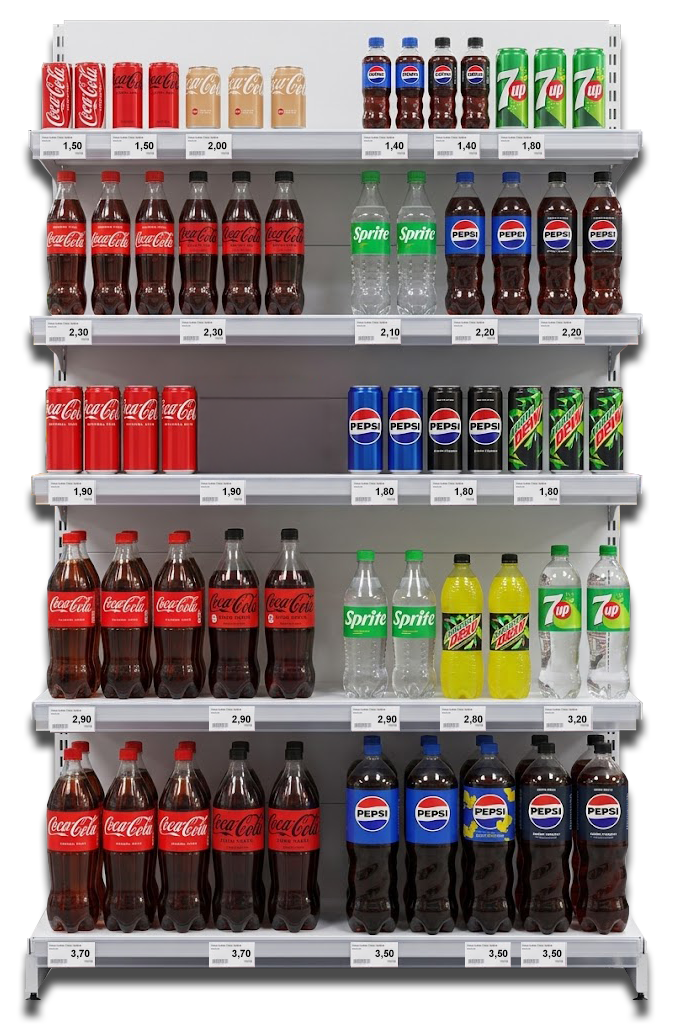
Five KPIs show what is there and what is missing:
- On-shelf availability: the share of the products a store should carry that are on the shelf at the visit
- Facings: how many units of each product face the shopper in the front row
- Listings: whether the store carries the products agreed in its listing
- Must-stock: whether the products you mark as essential are on the shelf
- Out of stock: listed products missing from the shelf at the moment of the visit
During a launch, the same KPIs show in the first weeks whether the new product has reached the shelf.
Visibility and placement
Six KPIs show how much space the brand has and where it sits:
- Share of shelf: the brand's portion of the category space, in facings or shelf length, against competitors on the same bay
- Eye level: whether key products sit at the heights where shoppers see them
- Adjacency: whether each product has the neighbors agreed in the shelf standard
- Block: whether products of one brand or segment stand together in one block
- Sequence: the order of products along the shelf, for example by flavor or pack size, compared with the agreed order
- Planogram compliance: how closely the shelf follows the current planogram, product by product
For retailers checking their own stores, see planogram compliance for retailers. Read how manufacturers check planogram compliance without manual shelf audits.
Prices and promotions
The last six check prices and promotional execution:
- Price validation: the shelf price read from the label, product by product
- Price compliance: whether prices match the recommended or contract price
- Price promo compliance: whether promotional prices on the shelf match the promotion agreed for the store
- Competitor prices: the prices of competing products on the same shelf
- POS and display execution: whether displays such as stands and pallets are in place, of the agreed type and stocked
- Promotional materials execution: whether posters, wobblers and toppers are in place and match the agreed campaign
Perfect Store
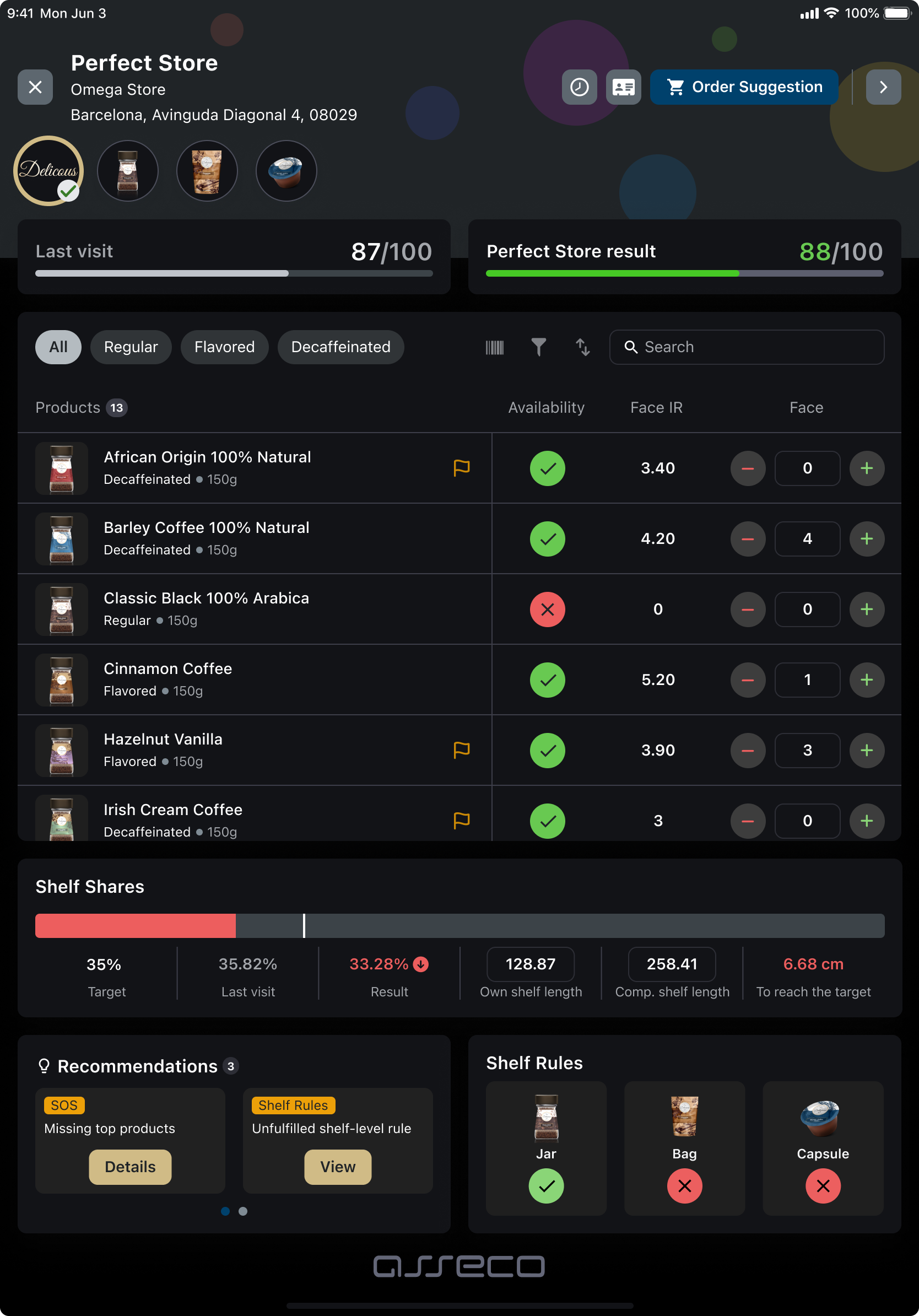
Retail Image Recognition can combine these KPIs into one Perfect Store score per store, measured against the standard you set for each store type. The rep sees the score at the shelf, with a breakdown of the criteria the store does not meet.
- Score against the last visit. The result for this store next to the result from the previous visit.
- Facings read from the photo. The Face IR column holds the facings that recognition counted for each product.
- Share of shelf against the target. With the shelf length still missing to reach it.
Places
Where shelf recognition works, from the main shelf to the back bar
You pay for more space than the main shelf. Asseco Platform's Retail Image Recognition also handles irregular fixtures, so each place below can have its own standard.
Main category shelf
The home shelf of the category, where the core assortment and the planogram apply.
Gondola ends
End-of-aisle placements agreed for promotions and seasonal campaigns.
Promotional displays
Secondary and free-standing displays placed away from the category shelf.
Islands
Floor placements in open areas of the store, used for high-volume campaigns.
Checkout zone
Impulse products at the register, where space is small and contested.
Chillers and freezers
Cooled space for drinks, dairy and frozen products, with its own layout standard.
Back bar and drinks menu (HoReCa)
Which bottles stand behind the bar, and how the brand appears on the drinks menu.
How it works
How image recognition for retail works, from shelf photo to fixed shelf
Four steps, and the first three happen while the rep is still in front of the shelf.
Scan
The camera covers the bay
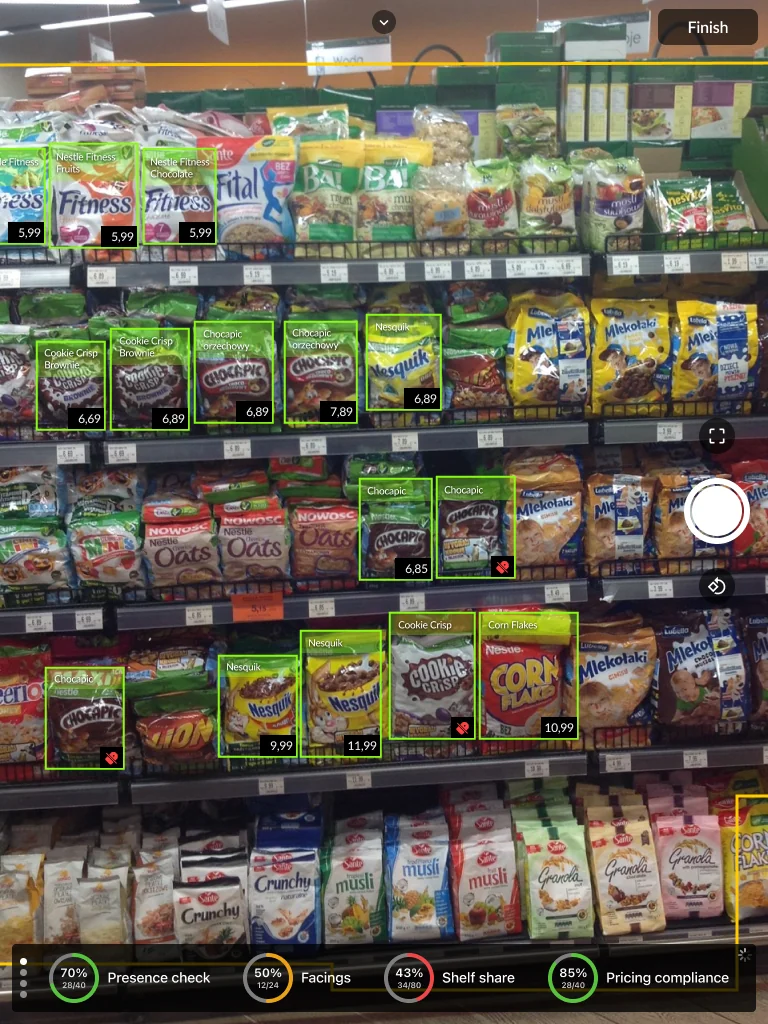
The rep takes photos of the bay, section by section. An augmented reality layer, the yellow frame on the screen, shows which parts of the bay are already captured and which are still missing, and the app checks the quality of each photo.
Read
The result appears on the photo
Recognition runs in real time, so each product is marked on the photo with its facings and its shelf price.
Fix
The rep corrects what is in reach
The rep gets a short list of what to fix, in plain words, and the corrective actions appear in the camera view. A second scan confirms the correction.
Hand over
The rest becomes a task
What the rep cannot fix during this visit becomes a task for the person who can, with the shelf result attached.
Screen from the app
What the rep sees on this bay
- 70%Presence checkOn-shelf availability: the share of the required products the app found on the bay.
- 50%FacingsFacings on the shelf against your target for the brand.
- 43%Shelf shareShare of shelf: the brand's portion of the space on this bay.
- 85%Pricing compliancePrice compliance: products with the expected price on the shelf label.
Green boxes are the products the app recognized, with the price read from the shelf label. What is below target becomes the list to fix.
Recorded in the app
Recognition on real shelves, six categories
Screen recordings from the app in stores in Poland, one bay per category.
Five roles
Who closes the gap, channel by channel
Who acts depends on the channel, your contract with the retailer and what the person in the store is allowed to change.
The rep fixes the shelf during the visit
In an independent store the owner decides on the spot, so most of what the photo finds can be dealt with during the same visit. After the scan the rep sees the missing products and the layout errors marked on the photo, and moves packs by hand as the camera view shows. For the missing products Asseco Platform Genius, the AI built into the platform, prepares an order, and the rep checks it, adjusts it and gets the owner's approval before leaving the store.
Rebuilding a whole bay takes longer than a sales visit allows, so that work goes to the agency.
Who owns it: sales director. What it measures: on-shelf availability, gaps fixed during the visit, order value from shelf findings.
The agency gets the task, and the photo proves it was done
- The rep sends the task. The task carries the rep's photo, so the merchandiser knows which bay to rebuild before arriving.
- The merchandiser's own visit. A photo before starting shows what to correct. A second photo afterwards is the evidence, and the visit report goes to you automatically.
- Back to the rep. When the fix needs a conversation with the owner, such as a price or an extra display, the task goes to your rep.
In a chain, the task goes to the key account manager.
Who owns it: trade marketing and field operations. What it measures: tasks completed, time to fix, compliance before and after.
In a chain, the visit collects evidence
In discount and supermarket chains the rep cannot order in store, so the key account manager works with the chain as a whole, across the stores the team has visited: where the product is missing, what has taken its place on the shelf and how far share of shelf is from the target. The results from the visited stores add up in OneView, the platform's analytics layer. When the share falls below the target, the task carries both numbers. The key account manager takes the store count and the photos into the next meeting with the buyer.
Who owns it: key account director. What it measures: availability by chain, share of shelf against target, price deviations by chain.
| Store | Missing products | Share / target |
|---|---|---|
| Store 112 | Coffee 250 g, Coffee 500 g | 14% / 25% |
| Store 087 | Coffee 500 g | 18% / 25% |
| Store 205 | Instant coffee 200 g | 19% / 25% |
| Store 031 | Coffee 250 g | 22% / 25% |
Each row opens the shelf photos from the last visit.
Your head office sees where the standard fails
Trade marketing sees the same shelf data in OneView by region, store format and chain, and can correct a promotion mid-campaign. It can sit next to sell-in and to distributor sell-out from Trade Data Hub.
Who owns it: trade marketing director. What it measures: compliance by standard, region and format; promotion execution during the campaign.
Compliance with the standard, by region
| Store format | Compliance | Standard failing most |
|---|---|---|
| Hypermarket | 81% | Secondary display |
| Supermarket | 74% | Share of shelf |
| Discounter | 62% | Must-stock products |
| Traditional trade | 69% | Price labels |
Below 70% the promotion team gets an alert while the campaign is still running.
The store proves what it agreed to
Store staff confirm some agreements the store made with you, such as an extra display or a chiller kept to standard. They take the photo on a phone or tablet, without training on the platform. Retail Image Recognition checks the photo and sends the result to you. Trade Terms & Settlement can then credit the store with what it has earned under the agreement.
Who owns it: trade marketing and key account teams. What it measures: agreed placements confirmed, value settled.
Proof
Who already uses Retail Image Recognition

Nestlé: shelf data in one place with field execution and distributor sell-out
“The platform gave us one version of the data truth across our entire commercial organization. Field execution, distributor sell-out, and shelf data - finally in one place and trustworthy enough to build our AI models on top of.”Marcin Łapiński, Chief Digital Officer for Central Eastern Europe, Nestlé Watch the full video
 Food & Beverage · Poland
“Our sales representatives recommend the intuitive nature of the Image Recognition solution. Its advanced Augmented Reality shelf scanning capabilities and visual Key Performance Indicators (KPIs) have proven effective in monitoring business metrics, such as shelf presence and product availability.”
Case study
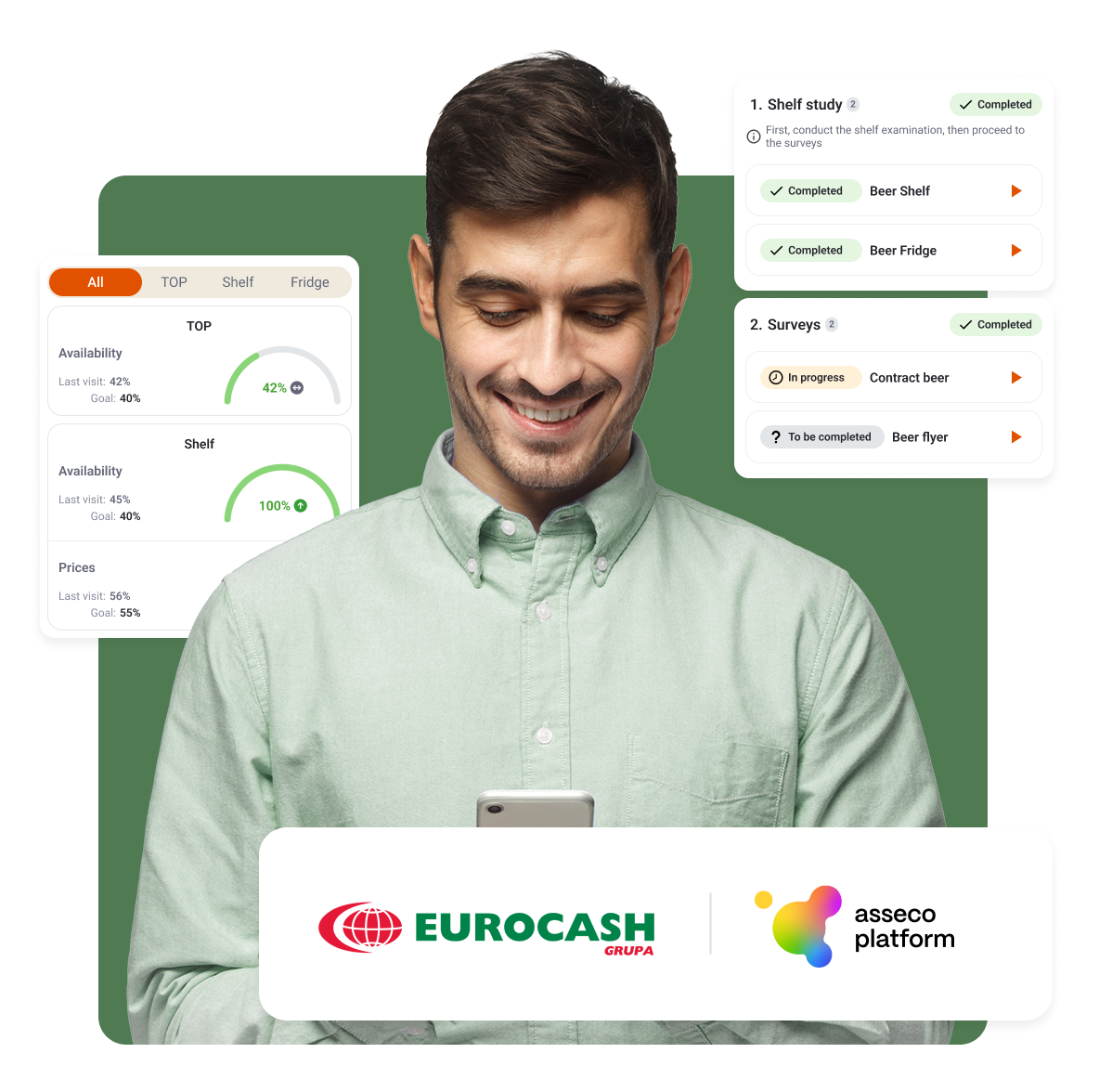
Eurocash Group
How a wholesale and franchise group checks store standards in its stores with image recognition.
Customer story
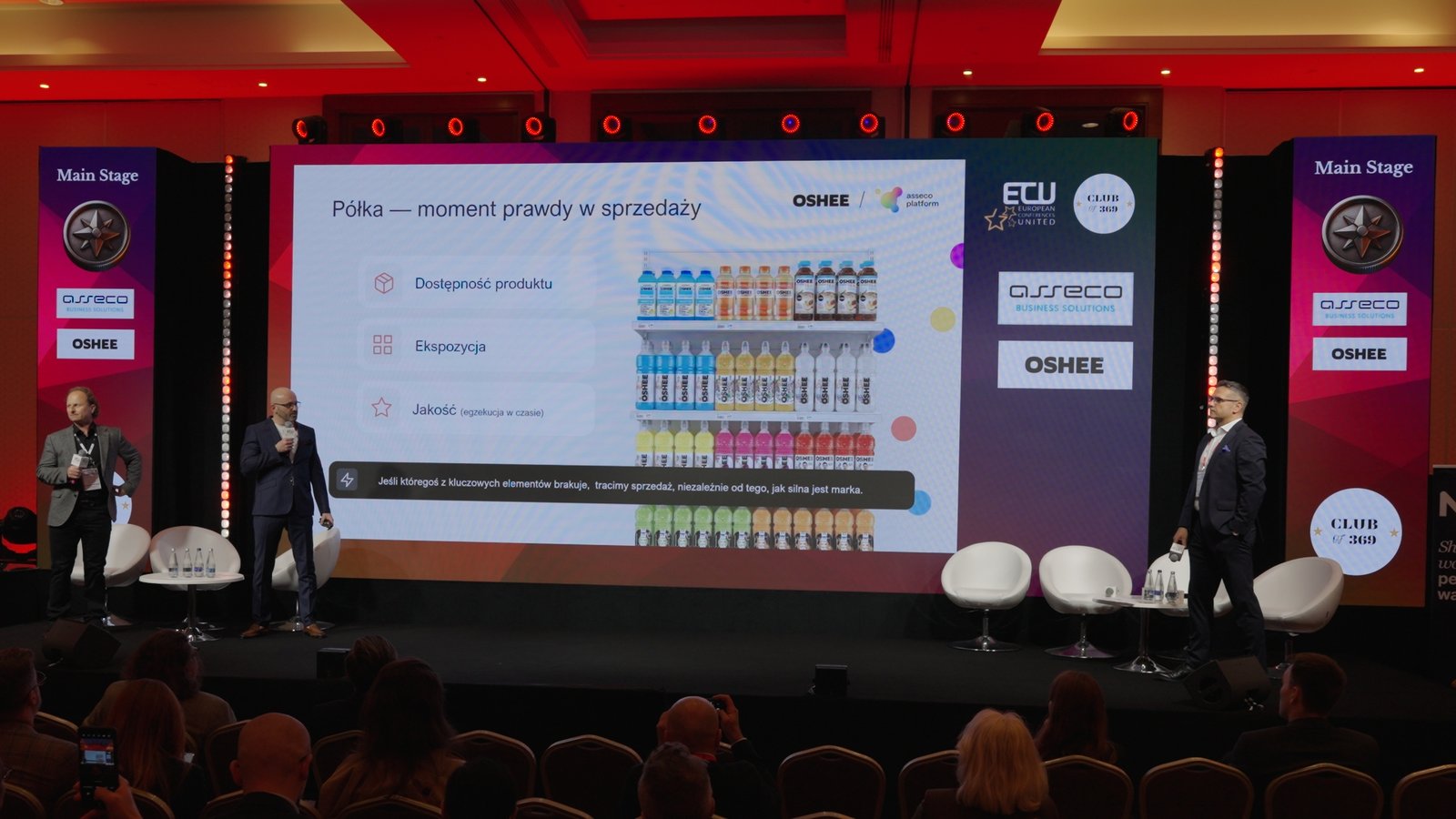
OSHEE: one image recognition standard in Poland and Finland
OSHEE's own reps and a local field execution partner in Finland run the same image recognition and report into the same KPIs, so head office sees Helsinki the same way it sees Warsaw.
Other manufacturers using Retail Image Recognition include Ferrero, Perfetti Van Melle, Lotte Wedel, Herbapol-Lublin and McCormick.
Industry recognition
Which analysts and standards recognize Asseco Platform?
Three external references: nine POI Best-in-Class Category Distinctions in the 2026 Vendor Panorama, recognition as a Representative Vendor in the Gartner® Market Guide for Retail Execution Management in Fast-Moving Consumer Goods, and ISO/IEC 27001:2022 certification.

POI Best-in-Class Category Distinctions
Nine categories: Advanced Imaging Technology (IR/AR), Coaching & Training, Guided Selling, Mobile UI/UX, Omnichannel Engagement, Playbooks & Customer Presentations, Predictive & Prescriptive Analytics (AI/ML/Agentic), Retail Activity Optimization (RAO) and Retail Merchandising. See the 2026 distinctions.

Gartner Representative Vendor
Asseco Platform is named a Representative Vendor in this Market Guide.

ISO/IEC 27001:2022
Held by Asseco Business Solutions, covering its FMCG solutions. It matters when shelf photos from reps, agencies and store staff travel to you together with trade data and settlement figures.
Gartner does not endorse any vendor, product or service depicted in its research publications, and does not advise technology users to select only those vendors with the highest ratings or other designation. Gartner research publications consist of the opinions of Gartner's research organization and should not be construed as statements of fact. Gartner disclaims all warranties, expressed or implied, with respect to this research, including any warranties of merchantability or fitness for a particular purpose. GARTNER is a registered trademark and service mark of Gartner, Inc. and/or its affiliates in the U.S. and internationally, and is used herein with permission. All rights reserved.
Choosing a vendor
Questions worth asking any image recognition vendor
Every vendor will show accuracy and speed in a demo. These three questions show what happens after the photo.
When the person who took the photo cannot fix the shelf, who gets the task?
A good answer names a person for each channel: the rep in an independent store, an agency for a bay rebuild, the key account manager for a chain, the store for its own agreements. If the answer is a report for your head office, the gap waits until the next visit.
Does the result change what the rep does during this visit?
Ask to see the screen the rep gets after the scan. It should say what to fix in plain words and confirm the fix with a second scan. In Asseco Platform, where the rep can order, Asseco Platform Genius also prepares the order.
Can an agency or the store prove the work themselves?
Ask whether a photo taken outside your own field team counts as evidence. In Asseco Platform, before and after photos close an agency task, and a photo taken by store staff can confirm an agreed display for settlement in Trade Terms & Settlement.
One platform
One platform. Every moment in FMCG execution.
Retail Image Recognition reads the shelf. It is part of one commercial suite where execution, data, planning and settlement share the same numbers.
Trade
Data Hub
See where your products really sell.
- See which stores actually stock your products, and which keep reordering them
- Right down to outlets you reach only indirectly, through distributors and wholesalers
- Across every route to market: distributors, chains, foodservice and online
Route-to-Market
Optimization
Decide where to invest sales effort and where to grow.
- See where you can grow most across stores, bars and restaurants, then send your reps there
- Find the stores and territories you’re not reaching yet
- Plan promotions where they’ll pay off, before you launch
Sales & Retail
Execution
Help your field reps sell more in every store they visit, with less admin.
- Plan visits and optimize routes: more selling, less driving
- Take orders and run every in-store task
- Hit your shelf standards with Perfect Store, scored live on every visit
- Guide each rep to the next best action (RAO)
- Keep teams sharp with built-in Motivation and Coaching
- Launch promotions and check they’re live in store
Retail
Image Recognition
The image recognition layer: it turns shelf photos into KPIs for the field team and for OneView.
Trade Terms
& Settlement
Agree commercial terms, then settle them on real numbers.
- Put all your trade terms in one place: targets, rebates, promo deals
- Track whether partners deliver, on time and in full (OTIF)
- Settle promotions and rebates automatically from real sales data
FAQ
The questions we get most often about Retail Image Recognition
If your question isn't here, get in touch.
The field team and the channel
Is this a way of checking up on the field team?
It is designed for fixing the shelf. The guidance reaches the rep during the scan, while the rep can still change something in the store, so conversations about the store start from the photo of the shelf.
Our reps in the modern trade cannot change anything in store. What do we get?
In chains, the rep's photo becomes evidence for your key account manager, who goes into the buyer meeting with the number of visited stores where the product is missing and the photos behind each one.
Accuracy and speed
How accurate is retail image recognition?
Asseco Platform reaches up to 98% recognition accuracy. Accuracy depends on how well the model knows the packs and on photo quality, which is why the app checks the photo during the scan and the model is trained on your own products.
How long does a retail audit with image recognition take?
Collecting shelf data typically takes 2–5 minutes per visit, compared with 15–20 minutes for a manual checklist on a multi-category audit. In relative terms, the saving is larger on a simple single-category audit and smaller in large modern-trade stores. The conversation with the store and the order take as long as before.
Does retail image recognition work offline?
Yes. The recognition model runs on the rep's phone or tablet, so Asseco Platform reads the shelf and shows the result in stores with no signal. The data syncs automatically once the device is back in range.
Onboarding and integration
Will it recognize our products from day one?
Onboarding prepares the model before the first store visit. Our team scans the packaging, builds 3D models of the products and trains the model on synthetic shelf scenes. Products launched during the project go through the same process.
Can we add image recognition to the SFA we already use?
Yes. Retail Image Recognition works inside Asseco Platform or as an add-on to another SFA or CRM. For Salesforce Consumer Goods Cloud there is an integration already in production use. See Retail Image Recognition for Salesforce Consumer Goods Cloud.
Getting started
Start with one category
Start
One category, a group of stores
We train the model on your packs and agree what counts as a gap.
Extend
More categories and channels
The standard extends to more categories, to chains and to work done by agencies.
Full scope
The full standard
Perfect Store scoring across all store types, with the field team, agencies and store staff working on the same data.
See it on your own shelves
Tell us which category and which channel you want to start with, and we will show you Retail Image Recognition on your products.
Book a demo