






Perfect Store software by Asseco Platform: an Advanced Module inside Mobile Touch — the field application of our Sales & Retail Execution (SRE) platform — with KPI audits, scoring and Retail Image Recognition for FMCG field teams.
Perfect Store
Turn Perfect Store from a PowerPoint into a KPI.
Mobile Touch — the field application of our Sales & Retail Execution (SRE) platform — translates your Perfect Store strategy into measurable, audited KPIs, scored automatically at every field visit. Your standards, finally enforced in the real world.
Trusted by the world’s leading FMCG brands





Your Perfect Store lives in a PowerPoint. Your shelves don’t know that.
You defined the standards. You built the template. Your reps are checking boxes. But when 85% Perfect Store compliance coexists with out-of-stock in every third store — the problem isn’t your strategy. It’s how it’s measured.
Without structured Perfect Store execution
- ✕Reps self-report compliance — yes/no checkboxes with no objective verification
- ✕85% Perfect Store score on paper, out-of-stock in every third store in practice
- ✕No data to challenge retailers about shelf quality — just declarations
- ✕Managers find out about execution failures in the quarterly review, not in the store
- ✕Different standards across channels, segments and regions — impossible to manage in spreadsheets
- ✕Reps have no real-time feedback — no score, no next action, no link to their bonus
With Perfect Store inside Mobile Touch (our SRE field app)
- ✓Your standards become measurable KPIs — scored automatically at every visit
- ✓Retail Image Recognition fills in distribution and facing data — no subjective guessing
- ✓Objective Perfect Store Score per store, per channel, per rep — ready for retailer conversations
- ✓Managers see the weakest stores in real time — and can act before the quarter closes
- ✓Configurable templates per segment, channel and region — without involving IT
- ✓Reps see their score live in the store — and their bonus impact before leaving
Three steps from shelf standard to commercial decision.
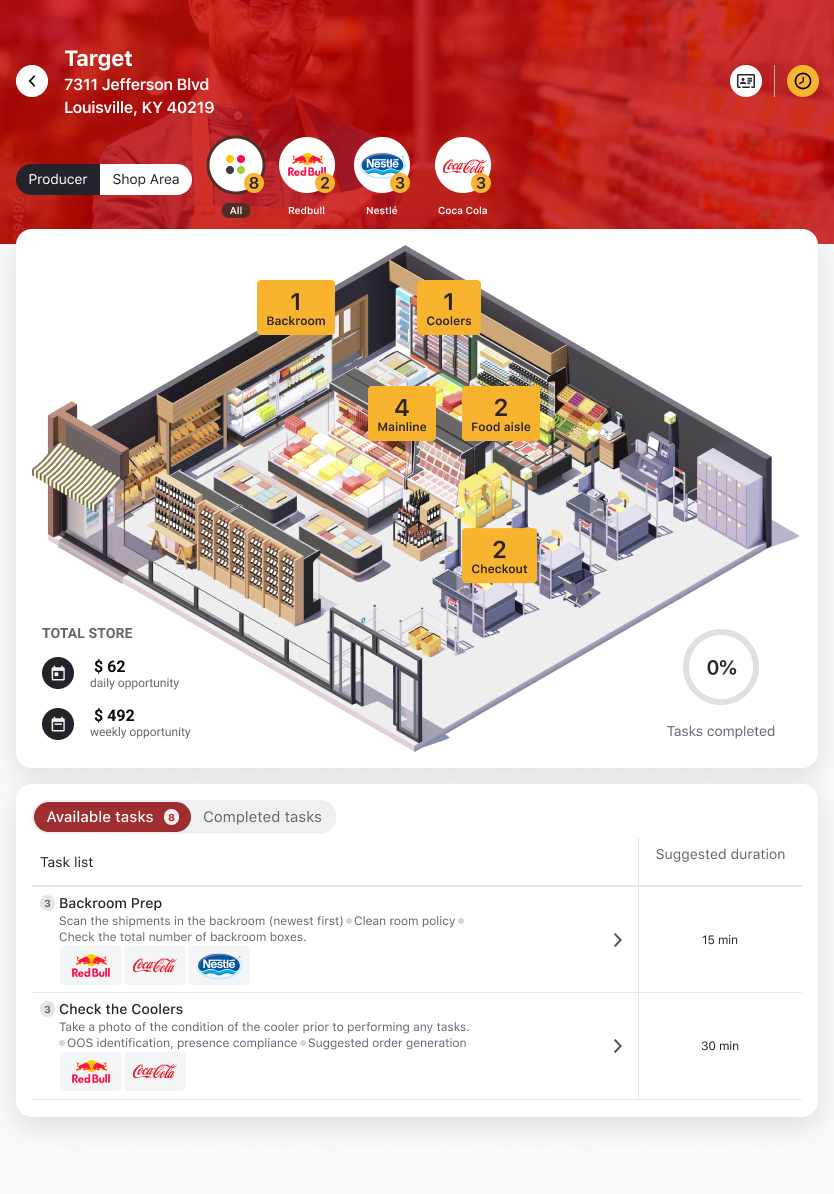
Perfect Store, running as an Advanced Module inside Mobile Touch — our Sales & Retail Execution (SRE) field app — turns your strategy into a closed loop: from KPI definition in back-office, through field execution, to live analytics in One View.
Define & configure in back-office
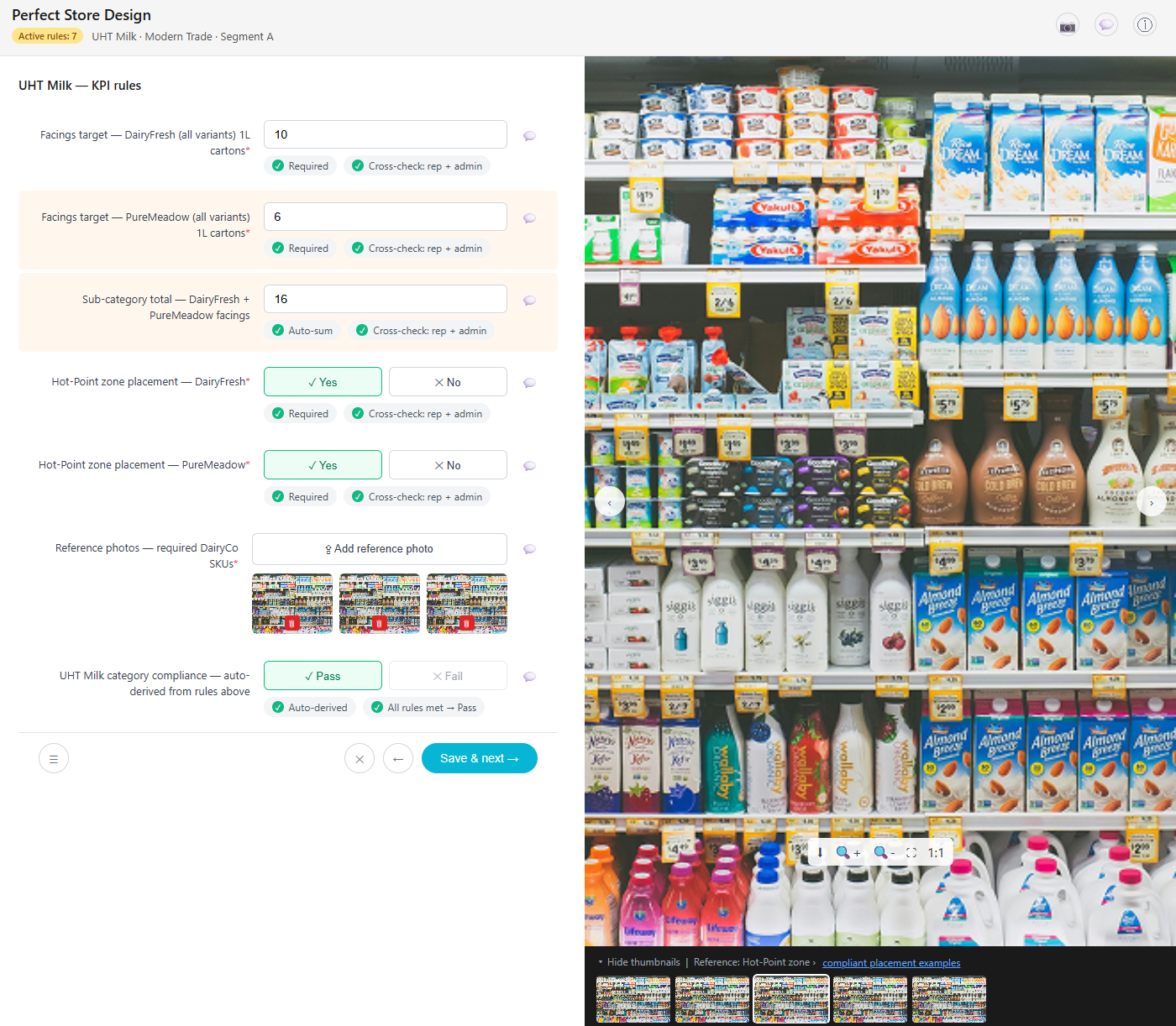
Build your KPI model and deploy it to the field. In the back-office of our Sales & Retail Execution (SRE) platform you choose measurement areas (distribution, visibility, price, promotions, POS), assign weights summing to 100, set scoring formulas per channel and store segment, then translate the model into audit forms, store templates, planograms, multimedia briefs and visit checklists. The full configuration is deployed to Mobile Touch — the field app on the rep’s device — without IT involvement, fully owned by Trade Marketing.
- →KPI areas, weights and scoring formulas per channel and segment
- →Audit forms, planograms, multimedia briefs and visit checklists
- →Deployed to the rep’s device — fully offline, no printing
Execute at every visit
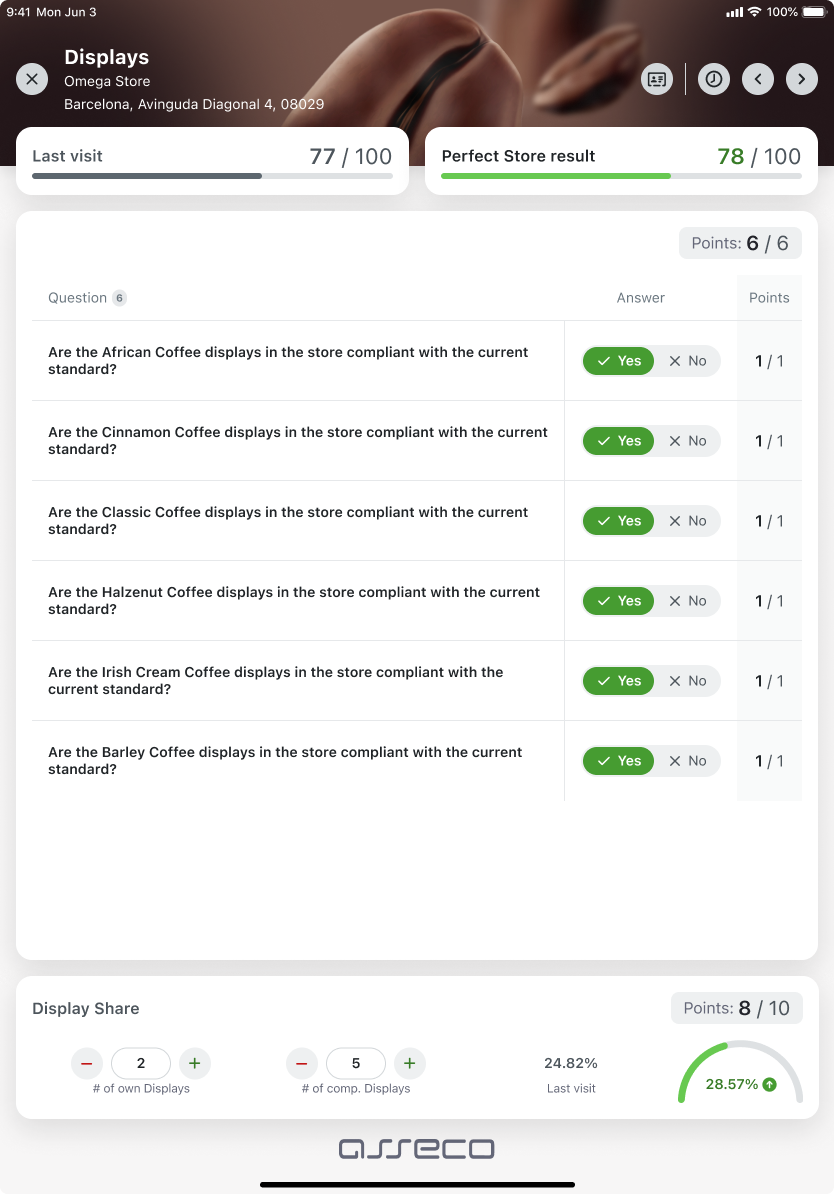
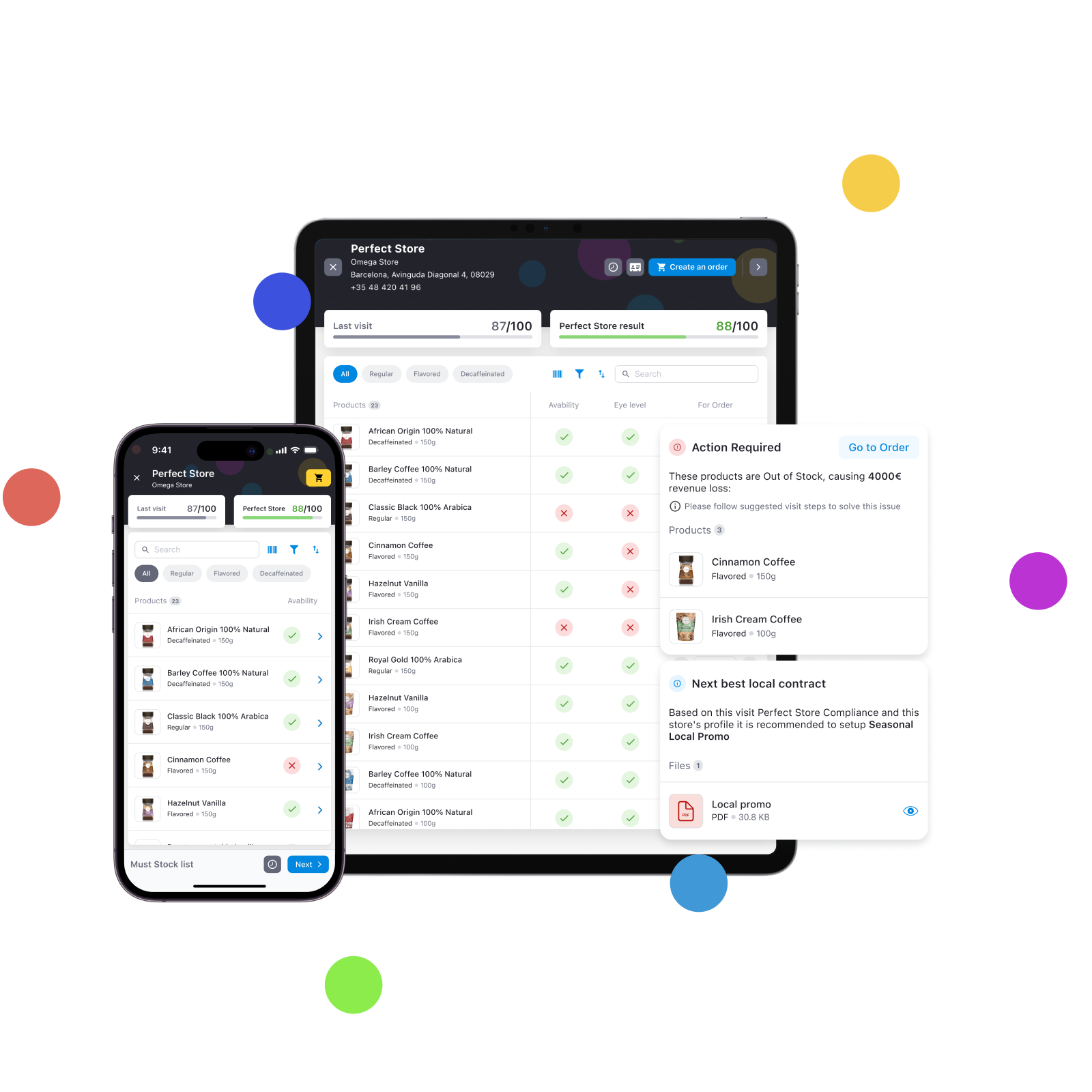
The rep audits the store visit by visit — manually checking each KPI on a structured form: distribution by SKU, facing counts, planogram compliance, POS materials, secondary placements, price checks. The Perfect Store Score updates in real time as the audit progresses — still on the shelf, fully offline. Optional add-on: Retail Image Recognition automates the most time-consuming parts — a single shelf photo auto-fills distribution and facing data with up to 98% accuracy.
- →Manual audit per KPI — distribution, facing, planogram, POS, price
- →Real-time Perfect Store Score in-store, fully offline
- →Optional add-on: Retail Image Recognition for shelf photo auto-fill
Analyze in One View
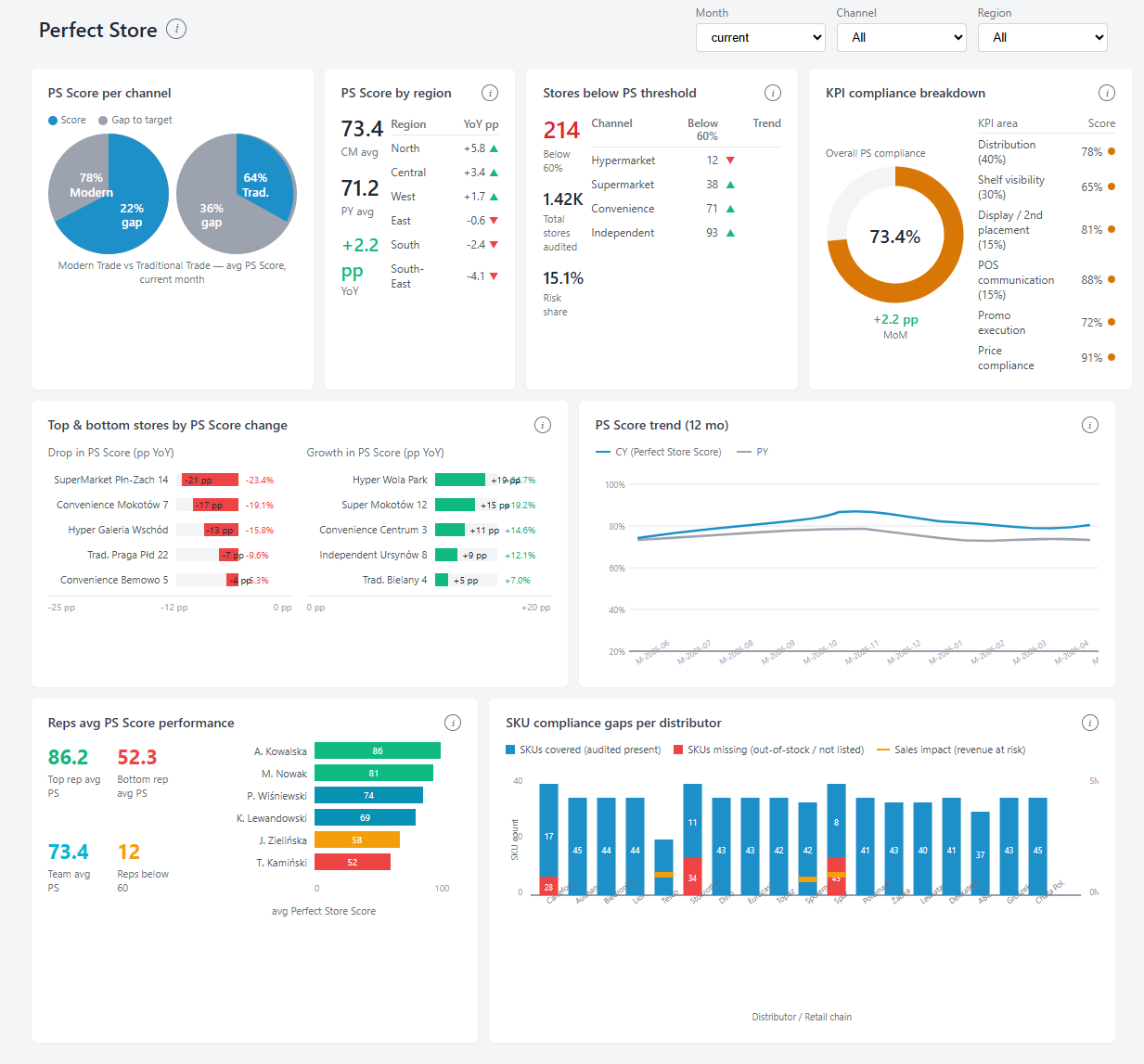
After sync, all Perfect Store data flows into One View — the analytics layer of Asseco Platform, embedded across every product. Trade Marketing Managers and Sales Directors get live dashboards: store rankings, channel-level trends, KPI breakdowns, anomalies and drilldowns by SKU, store segment, region and rep. Compare campaigns, validate hypotheses, build retailer-ready reports — all on the same data model the rep audited in the field.
- →Live dashboards in One View — rankings, trends, anomalies
- →Drilldowns by KPI, store segment, channel, region, rep
- →Cross-channel analytics, ready for retailer conversations
Why do Trade Marketing Managers choose Perfect Store over spreadsheets and gut feel?
Four capabilities that turn a Perfect Store programme from a compliance exercise into a growth engine.
Objectivity
Every Perfect Store Score is based on a structured audit form — not on what the rep chose to report. Each KPI is checked manually against defined rules with cross-validation between rep and admin. The score is consistent, comparable and defensible in retailer meetings. Optional add-on: Retail Image Recognition automates distribution and facing data from shelf photos, reducing audit time.
Configurability
Your KPI model, your rules. Define measurement areas, assign weights, set scoring formulas and attach multimedia guidelines — all without IT. Different standards per channel, segment or region. Update them as your business evolves, not when IT has time.
Real-time scoring
The rep sees their Perfect Store Score on the shelf — before leaving the store. The manager sees the full team dashboard after sync. No waiting for weekly reports. Systematic underperformers are visible immediately, not after the quarter closes.
Motivation link
Connect Perfect Store Score directly to the rep’s bonus calculation via the Motivation module. Reps see their live bonus impact on the same screen as their audit. The quality of shelf execution becomes a tangible, personal outcome — not an abstract company target.
Your Perfect Store standard, translated into a scoring engine.
Every Perfect Store programme is different. Mobile Touch — our Sales & Retail Execution (SRE) field app — supports a fully configurable three-level KPI hierarchy — weighted, capped and aggregated automatically at every visit.
Three-level KPI structure
Perfect Store Total
Overall Perfect Store Score for the store — the single number that drives rankings, bonuses and retailer conversations.
Measurement areas
Distribution · Visibility · Share of shelf · Pricing · Promotions · POS materials · Custom areas
Sub-KPIs — granular criteria
TOP SKU presence · Shelf standard (Gold/Silver/Bronze) · Facing share vs competition · Planogram compliance · POS execution
How the score is calculated
Cap rule: a KPI result cannot exceed its assigned weight — even at 120% execution. This prevents one overperforming area from masking failures elsewhere.
Example model (illustrative)
Two tools that change what happens on the shelf.
Smart Presentation turns audit data into a negotiation tool the rep uses with the store manager. Retail Image Recognition turns a shelf photo into distribution and facing data — in 3 seconds.
Smart Presentation
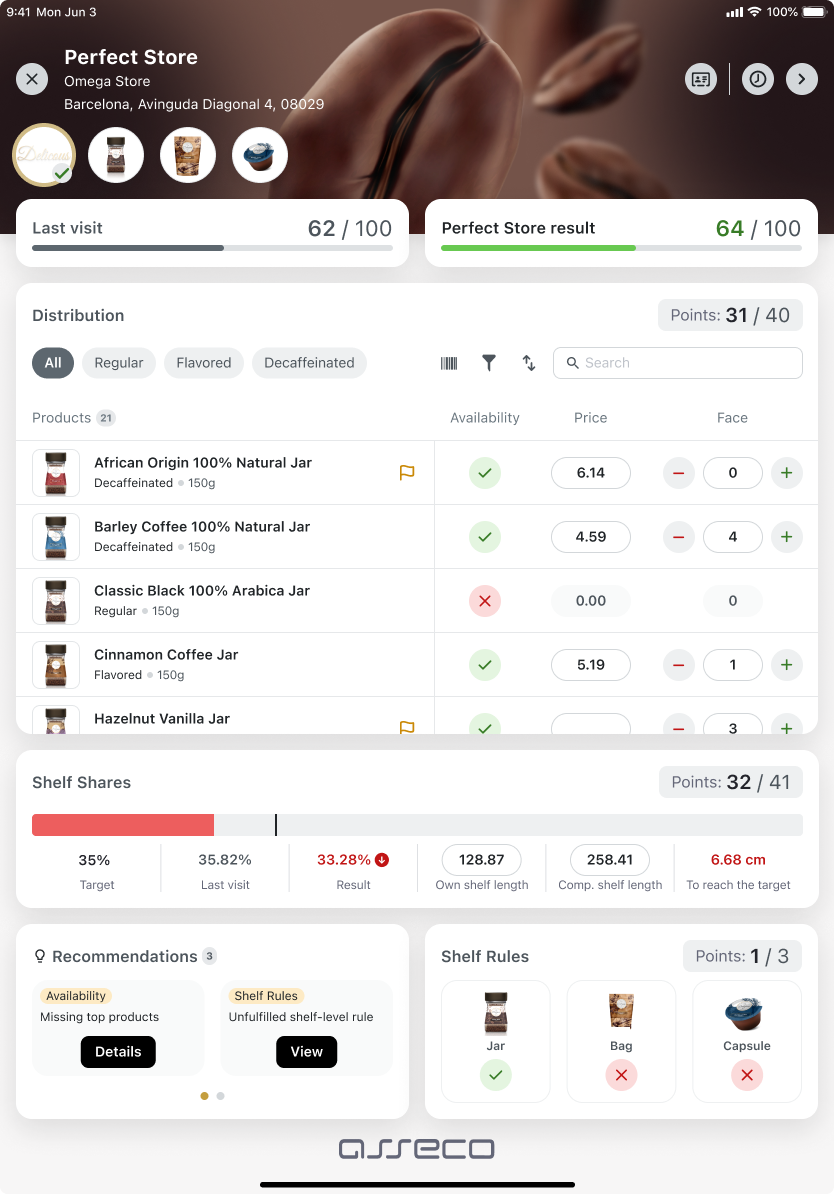
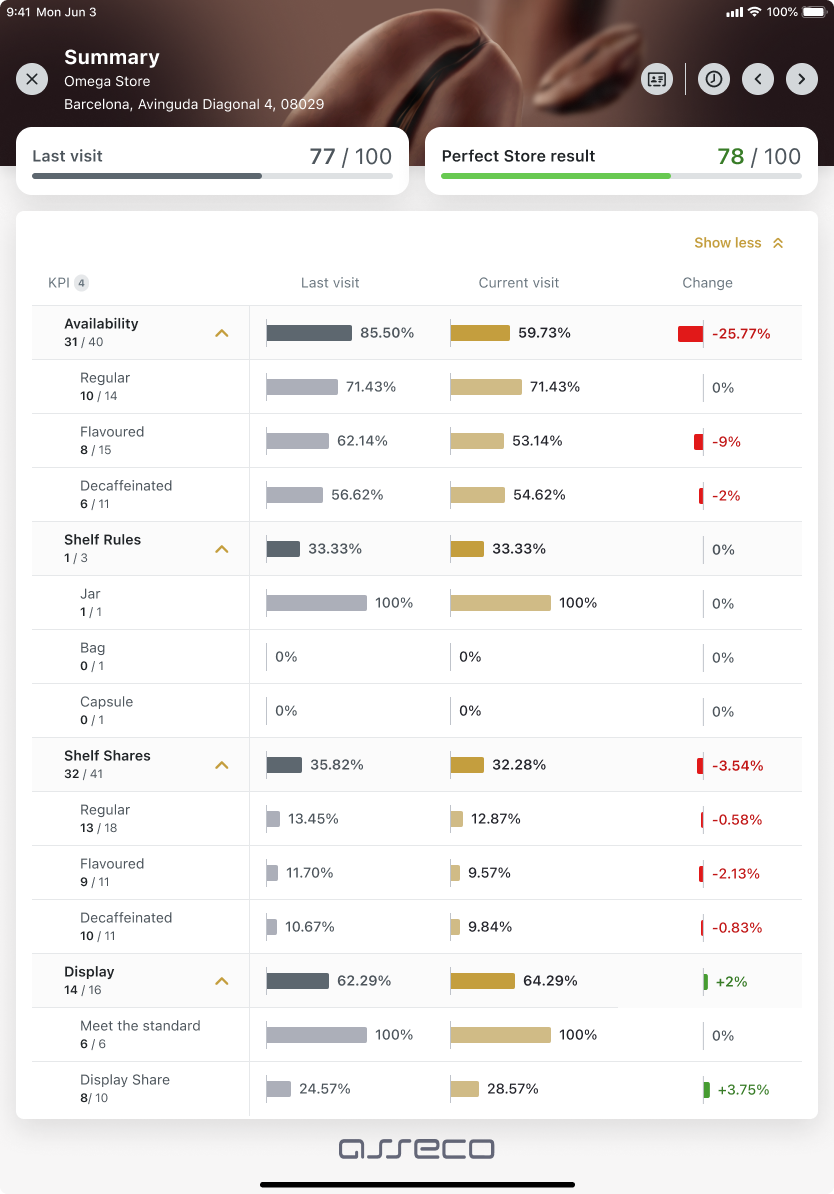
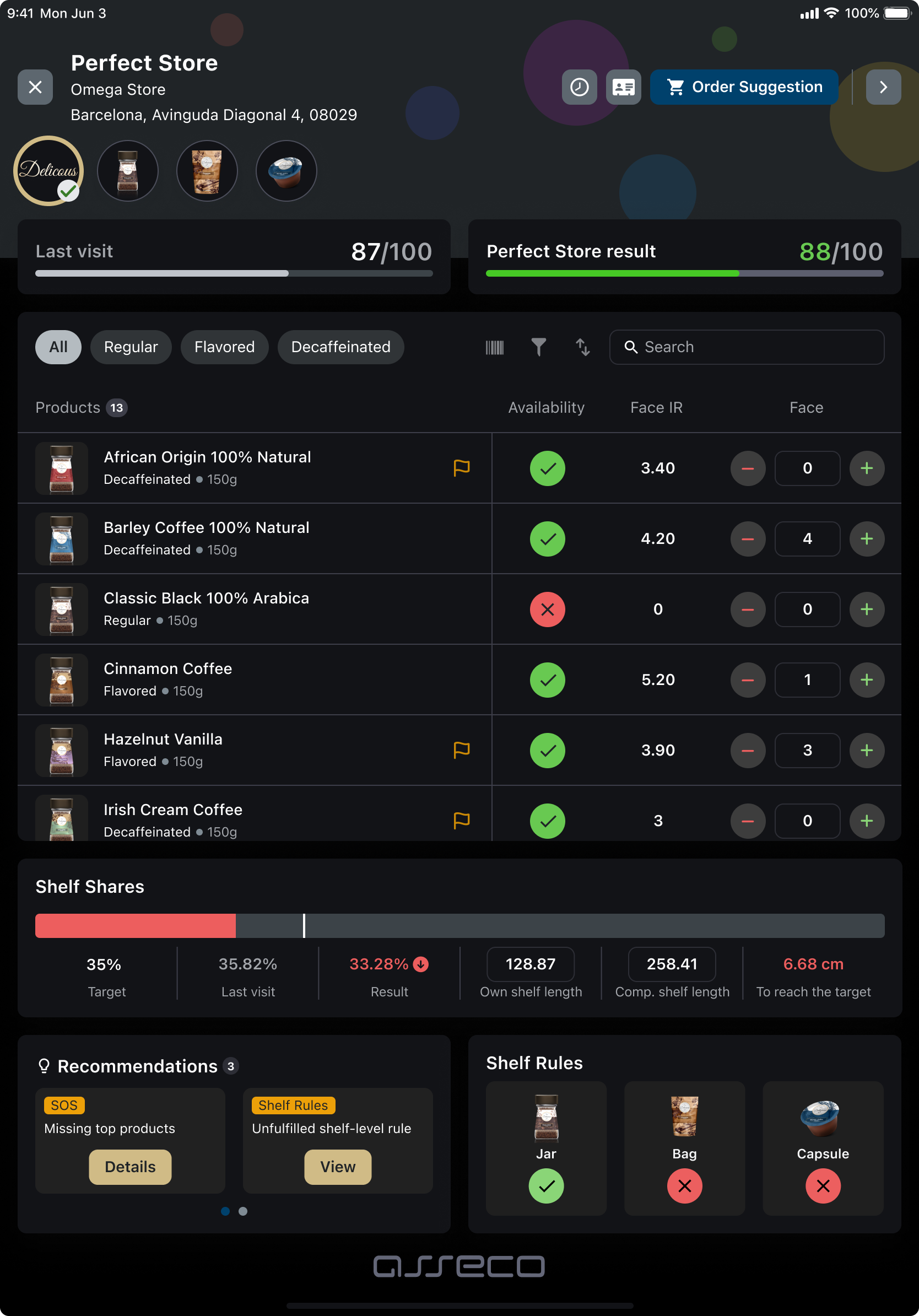
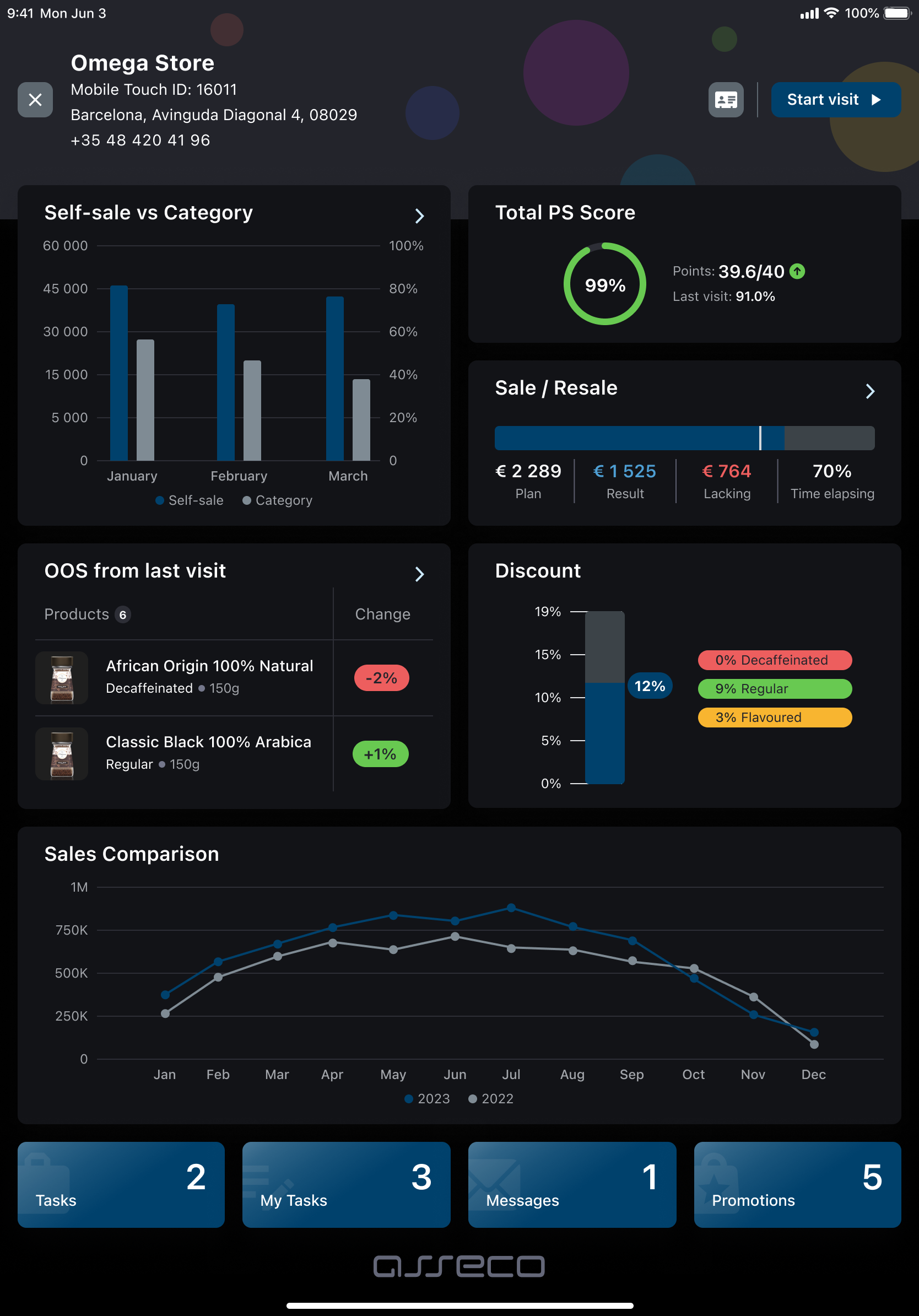
A rep-friendly interactive dashboard shown directly in the store during the visit. Smart Presentation displays live audit results, historical trend per KPI, and how this store compares to others in the area — the benchmark that becomes the negotiation argument.
- →Total Perfect Store Score updated dynamically as the audit progresses
- →Score per category with trend vs last visit (green/red/grey arrows)
- →Missing products page — all non-available SKUs with action plan flag
- →Area benchmark — this store vs nearby stores (negotiation argument)
- →External data — Nielsen or other market data can be injected into the dashboard
Retail Image Recognition
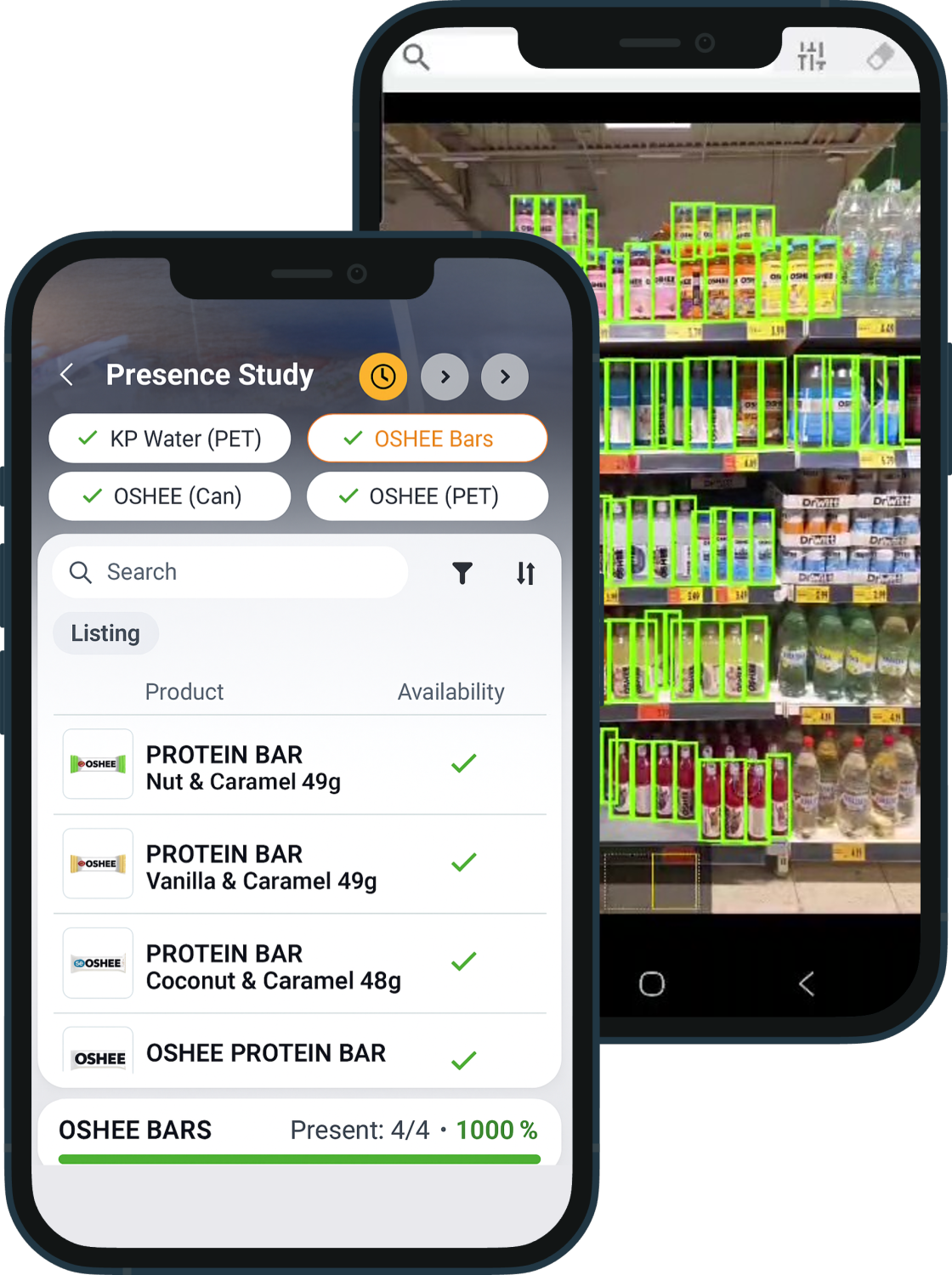
The rep takes a photo of the shelf. The Retail Image Recognition engine analyses it and automatically fills in the distribution status of each product — available, not listed, out of stock — plus calculates facing share vs competitors. No manual data entry for the most time-consuming part of the audit.
- →up to 98% accuracy — consistent audit quality independent of the rep
- →3 seconds average recognition time in offline mode
- →5 distribution statuses auto-assigned (rep can override manually)
- →Facing share vs competition — brand facings ÷ total category facings, per photo
- →Hybrid approach — IR for some KPIs, manual for others, configured per template
What changes when Perfect Store is measured, not assumed.
Across deployments in FMCG field sales teams, four outcomes consistently follow the introduction of structured Perfect Store auditing in Mobile Touch.
+18%
Sales growth
In stores with Perfect Store Score above 80% vs stores below threshold
−35%
Visit reporting time
Per field rep, per visit — time saved by structured forms and AI auto-fill
+22%
On-shelf availability
Improvement after structured audit programme rollout vs pre-implementation baseline
3×
More audit visits
Daily audit visits per rep after implementation — same team, same hours
From kick-off to first audit: 6 weeks.
A structured 5-step process, executed by Asseco’s own implementation team of 160+ specialists. No external integrators, no handover to a third party mid-project.
Define standards
KPIs, weights, scoring formulas and store segments per channel
Configure in back-office
Audit forms, KPI scoring, planograms and checklists configured in back-office and deployed to Mobile Touch
Train the team
Onboarding for reps and managers — fast start, no extended ramp-up
Go live
First audit visits and store scoring begin, data flows to manager dashboard
Optimise continuously
Analyse results, refine KPI standards and scale best practices
Indicative timeline based on typical FMCG deployments. Actual duration depends on scope of the KPI model, number of markets in the rollout, integration with existing systems and team availability — finalised together during the discovery phase.
Which analysts and standards recognize Perfect Store?
Independent recognition to support your internal business case.



Perfect Store measurement built around your trade strategy.
Three things that separate how Mobile Touch — our Sales & Retail Execution (SRE) field app — delivers Perfect Store, compared to standalone audit tools and point solutions that collect data but do not connect it to what happens next.
Your scoring model, not ours
Fully configurable three-level KPI hierarchy. You define measurement areas, weights, scoring caps and targets — per channel, per store type, per region. No vendor-imposed standard that does not reflect your actual trade programme.
- →Custom areas, weights and sub-KPIs — changed without a dev cycle
- →Different models per channel, store segment and region
- →Cap rule prevents one KPI from masking underperformance elsewhere
The negotiation layer, built in
Smart Presentation turns every audit result into a store conversation. The rep shows the live score, KPI trends, missing products and area benchmark to the store manager — same screen, same visit. Most Perfect Store tools stop at data collection. This one closes the loop at the shelf.
- →Live Perfect Store score updated as the audit progresses in real time
- →Area benchmark becomes the negotiation argument with the store manager
- →Missing SKUs with action flags — immediate next steps, not a report later
Part of the execution platform
Perfect Store runs inside Mobile Touch — our Sales & Retail Execution (SRE) field app — the same application the rep uses for visit planning, orders and Selling Stories. One system, one login, one data model. Perfect Store scores feed natively into motivation, coaching tasks and route optimisation without any integration work.
- →No parallel Perfect Store app — Advanced Module inside Mobile Touch
- →Perfect Store data drives motivation bonuses, coaching tasks and route priorities
- →Retail Image Recognition integrated — shelf photo auto-fills KPI data
One platform. Every field execution tool. Connected.
Perfect Store does not stand alone. As an Advanced Module inside Mobile Touch — our Sales & Retail Execution (SRE) field app — Perfect Store data flows in both directions: receiving inputs from Retail Image Recognition, driving outputs into motivation, coaching and route planning.
Retail Image Recognition
Shelf photo → distribution and facing data auto-filled in the Perfect Store audit. No manual SKU entry for the most time-consuming part of the audit.
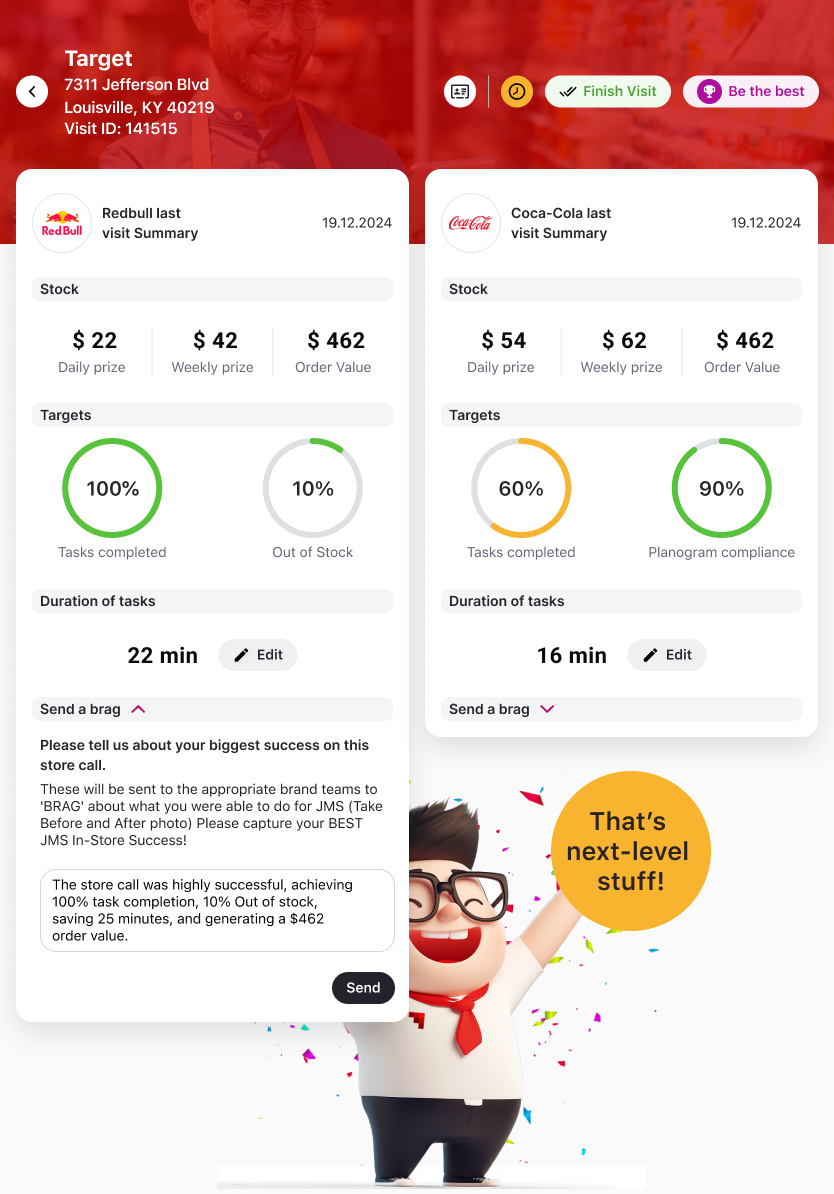
Smart Presentation
Perfect Store score → live negotiation dashboard for the store manager conversation. Trends, benchmarks and missing products on one screen.
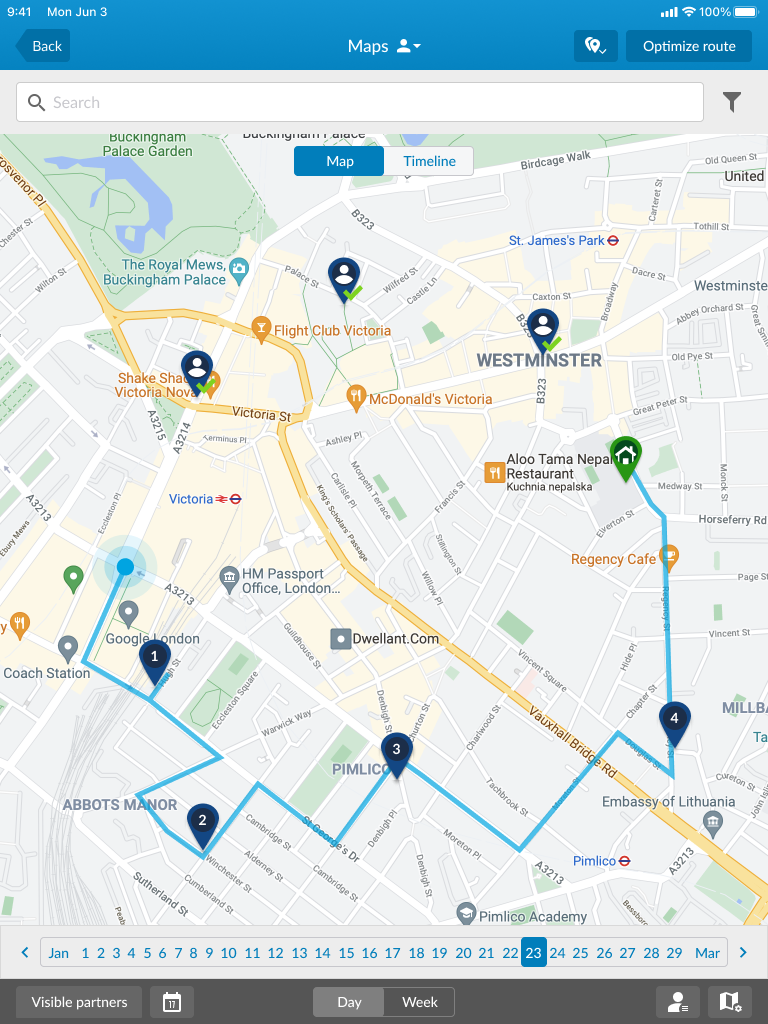
Dynamic Route Optimization
Low Perfect Store scores → trigger priority visits in dynamic route planning. High-risk stores get visited first without manual intervention.
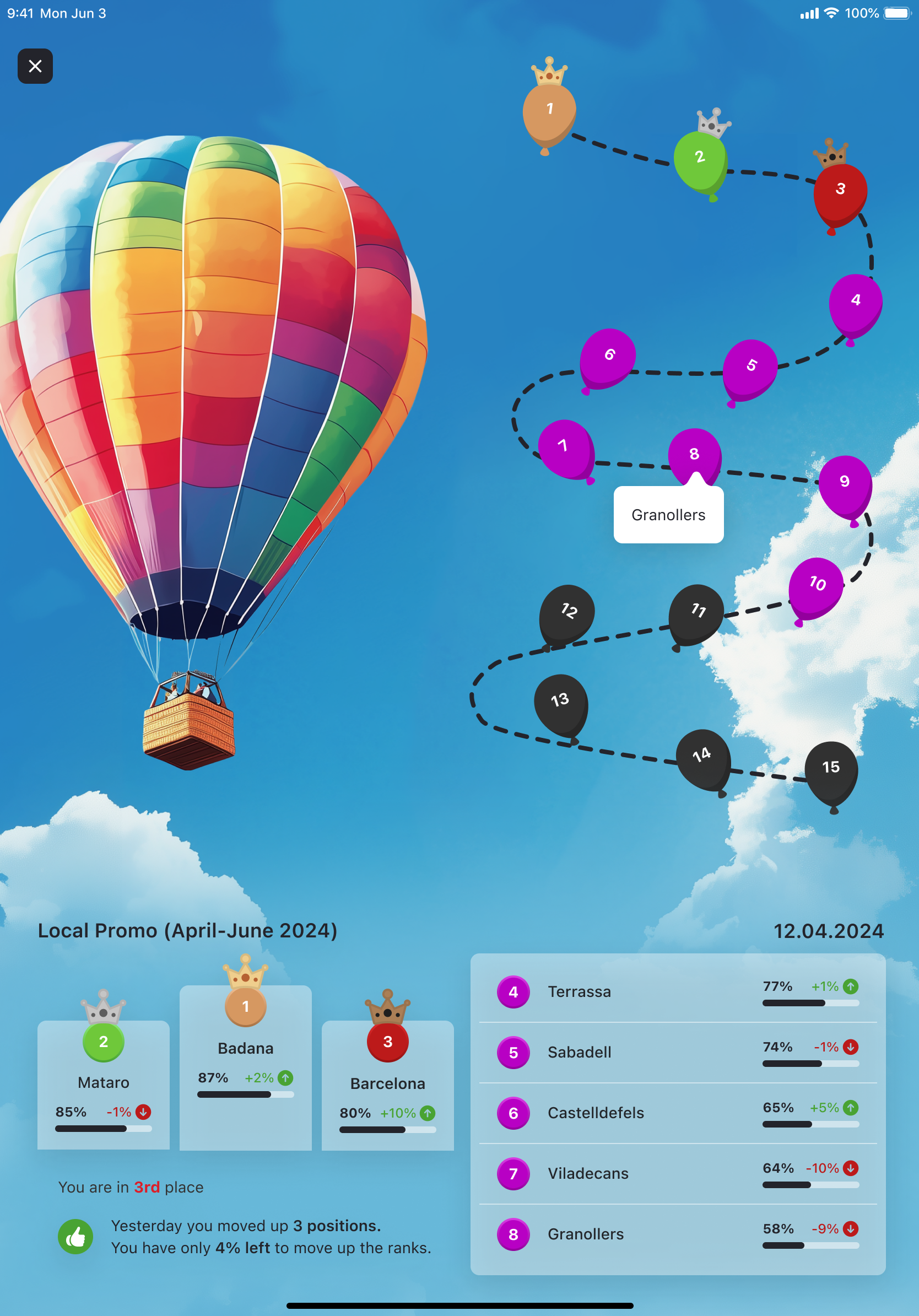
Motivation Module
Perfect Store Total Score or individual KPI targets → bonus rules, gamification points and target achievement tracking. Rep sees progress in real time.
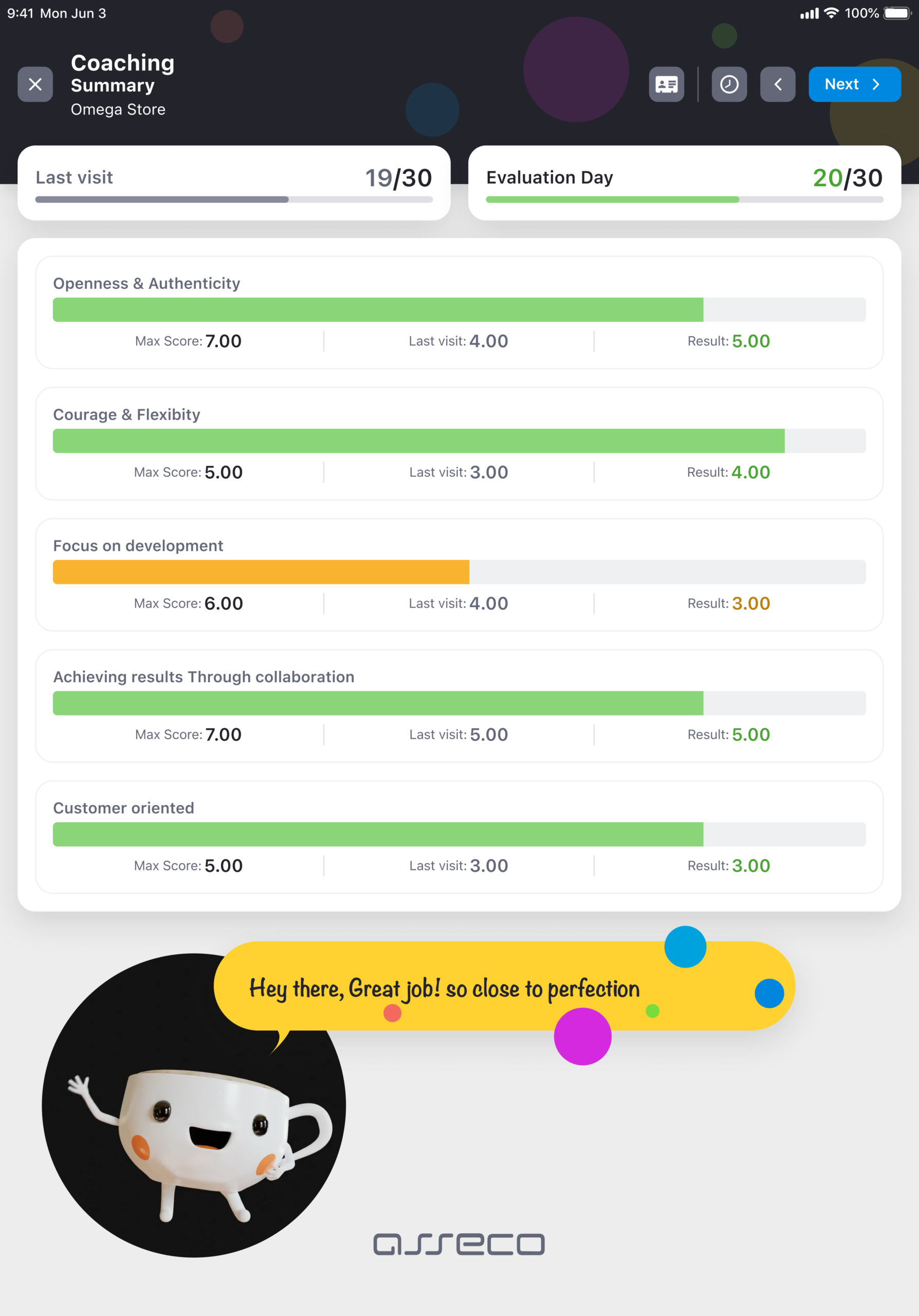
Coaching Module
Perfect Store KPI gaps → coaching tasks assigned to the rep. Manager links development plans directly to specific Perfect Store weaknesses.
Trade Data Hub
Perfect Store scores → Trade Data Hub, joined with sell-out, trade spend and distributor data. Validate whether better shelf execution actually drives revenue, and benchmark distributors objectively.
Perfect Store is available as an add-on to an existing Mobile Touch deployment or as part of a full Sales & Retail Execution implementation.
Common questions about Perfect Store inside Mobile Touch (SRE).
Answers to the questions Trade Marketing Managers and Sales Directors ask most often before and during implementation.
Is Perfect Store a separate product or part of Mobile Touch (Sales & Retail Execution)?
Perfect Store is an Advanced Module within Mobile Touch — the Sales & Retail Execution platform from Asseco Platform — our Sales Force Automation for FMCG field teams. Reps use the same application for all field activities; Perfect Store audit is added to their workflow, not installed separately. One login, one device, full data consistency with the rest of the visit.
How configurable is the KPI model?
Fully configurable. You define measurement areas, assign weights (always totalling 100) and set sub-KPIs at level 3. Different models can be set up per channel, store type or region — managed from one admin interface. Weights, targets and scoring caps can be updated at any time without a development change.
What is Smart Presentation and when does the rep use it?
Smart Presentation is an interactive dashboard the rep shows to the store manager during the visit. It displays the current Perfect Store score, KPI trend vs last visit, missing products with action flags, and how this store compares to others nearby. It turns audit results into a negotiation argument at the moment they are most relevant.
Does Retail Image Recognition work in stores without internet?
Yes. Retail Image Recognition runs locally on the device — photo analysis and distribution status assignment happen in 3 seconds in full offline mode. Results are stored and synced automatically when connectivity is restored. No store visit is blocked by poor connectivity.
What if a Perfect Store target is not yet defined for a store segment?
The system supports two scoring variants for missing targets. Variant I assigns 0 points to the KPI (conservative). Variant II redistributes its weight proportionally to the remaining KPIs (neutral). The choice is configured per programme at setup and can differ per store segment.
How long does the implementation take?
From kick-off to first scored Perfect Store visit: 6 weeks. This covers defining KPI standards, configuring audit forms, training reps and managers, and going live. Implementation is handled by Asseco’s own in-house specialist team — no external integrator is required and there is no handover to a third party mid-project.
Can Perfect Store scores feed into rep bonus and motivation schemes?
Yes. Perfect Store integrates natively with the Motivation module in Mobile Touch — our Sales & Retail Execution (SRE) field app. Perfect Store Total Score or individual KPI performance can be used as conditions in bonus rules, gamification points or target achievement tracking — so Perfect Store performance drives rep behaviour, not just reporting dashboards.
What analytics does a manager or HQ get?
Managers access a real-time dashboard showing Perfect Store scores aggregated by store, territory, channel and region. Each metric is trended over time, with anomaly detection highlighting stores below threshold or declining. All data is also available for integration with Trade Data Hub for cross-market analytics and deeper reporting.
Turn your Perfect Store standard into measurable field execution.
Book a conversation with an Asseco Platform specialist. See how the configurable KPI model, Smart Presentation and Retail Image Recognition (optional) work with your specific trade programme.